.png?width=168&height=30&name=Logo%20Color@4x%20(1).png)
Perfect Match
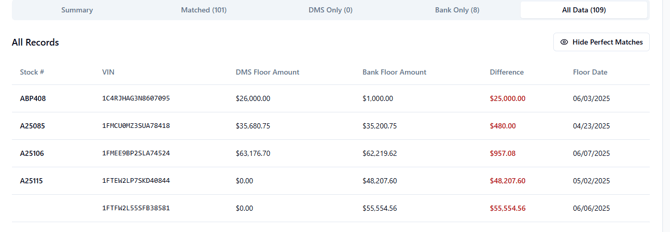
Perfect Matches will be any item that is listed with a green $0.00 value under the Matched Tab. This means a match was found between your schedule and your statement, and that both line items have the same value.

*You are able to hide perfect matches with the  button on the top right section of the results tab.
Partial Match
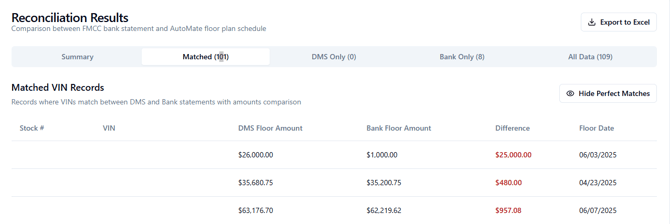
Partial Matches are listed at the top of the list under the Matched tab with a red $1.00. This means that a match was found on both your schedule and your statement, but the values on each document did not match.
DMS Only
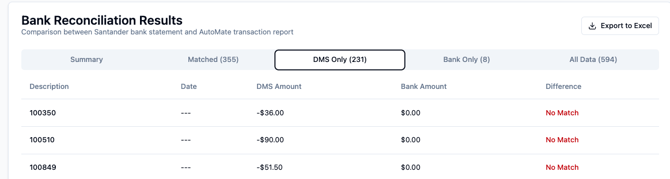
These items are listed in your DMS file, but not the Bank/OEM files.
Bank/OEM Only
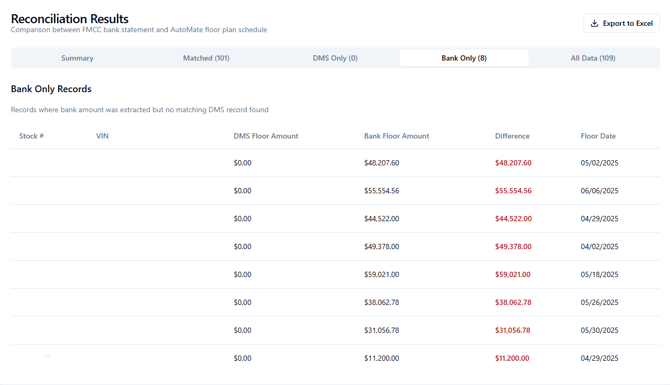
Similar to DMS Only, these items are listed on your Bank/OEM statement, but not your DMS schedule.
All Data
Provides a combined record of all data within the preceding tabs. You will have covered every line item in the previous tabs before getting to this point.